
Fix common publishing issues
Use this fast triage flow to fix the most common publish, sync, and tracking issues in Bizabee.
2-minute triage: identify where it broke
Most failures are state mismatches, not random platform errors.
In Bizabee, each post must move through the correct state path. Missing one transition is the most common root cause.
Run this triage before rewriting content or reconnecting everything. It usually pinpoints the issue in under two minutes.
- Check Content tabs first: Discover -> Publish -> Live
- If post is in Discover only: save it first
- If post is in Waiting: schedule it into Next 7 Days
- If schedule time passed but not in Live: check social connection and publish status
If social posts are not publishing
Publishing requires an active connected destination account/page. If connection expires, scheduled items can stay stuck or fail silently.
If social is disconnected, no scheduling strategy can rescue delivery.
- Open Publish and check for the Connect social warning
- Reconnect social pages/accounts if warning is shown
- Reschedule the post after reconnecting
- Avoid stacking many posts on the same minute when debugging
If a post is in Waiting and never reaches Live
This usually means one of three issues: schedule time not reached in your timezone, destination disconnected, or publish retry still pending.
- Confirm scheduled time and timezone in Publish
- Verify destination account is still connected
- Open the post state and check for publish error message
- If needed, duplicate the post and schedule a fresh run
If images or caption changed but published version is old
This is usually caused by editing after scheduling without saving the latest version into the queue.
- Open the post from Publish and confirm final caption/media
- Save changes explicitly before leaving the editor
- Reschedule if the previous version is already queued
- For critical updates, remove old queued post and create one clean item
If lead page is live but results look wrong
Separate traffic issues from conversion issues before changing copy or design.
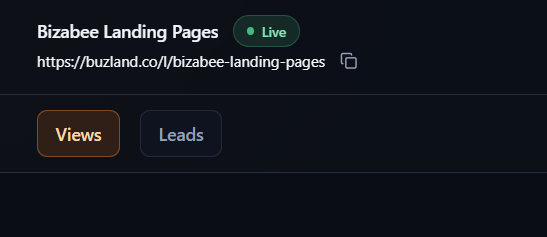
- In Lead Pages, check Views first (traffic reaching page)
- Then check Leads (actual submissions/conversions)
- If views exist but leads do not: reduce form friction and verify CTA intent
- If tracking events are missing: verify pixels, event names, and republish the page
If tracking is missing after publish
When page content is live but events are missing, the issue is usually pixel configuration format or publish state.
- Open page settings and confirm pixel IDs are valid format
- Check that tracking fields are saved on the current page version
- Republish after tracking changes (save-only is not enough)
- Run one test visit and verify events in your platform debugger
If lead submissions do not appear where expected
If users submit forms but your downstream process looks empty, first validate whether submissions are captured in Bizabee.
- Check page Leads in Bizabee before external tools
- Confirm you are inspecting the correct page and date range
- Send a controlled test lead with unique email tag
- If test lead appears in Bizabee but not elsewhere, issue is downstream integration
If actions fail because of plan or credits
Payment and credit limits can block generation or publishing actions. Always confirm balance status before retrying multiple times.
- Open Settings -> Payments
- Check total credits and which bucket is low (welcome/subscription/wallet)
- Add wallet credits or update subscription if required
- Retry the original action after balance refresh
When to contact support immediately
When escalating, include page/post ID, timestamp, destination, and one screenshot of current state. This shortens resolution time significantly.
- Publish failed for multiple destinations after reconnection
- Leads dropped to zero while traffic remains normal
- Credits were charged but action did not complete
- You see repeated state errors across multiple posts/pages